Best Billing Machine
for Retail Shop
Simplify everyday checkout with the best billing machine for retail shop operations. Romio Technologies offers touchscreen POS billing solutions for grocery stores, supermarkets, general stores and growing retail businesses. Explore compatible billing software, inventory management and a professional billing setup for your business.
Best Billing Machine for Retail Shop: A Complete Buying Guide
Choosing the best billing machine for retail shop is important for managing daily sales, printing bills, tracking inventory and providing a smooth checkout experience. Whether you run a grocery store, clothing shop, supermarket, electronics store or general store, the right billing system can make everyday business operations easier.
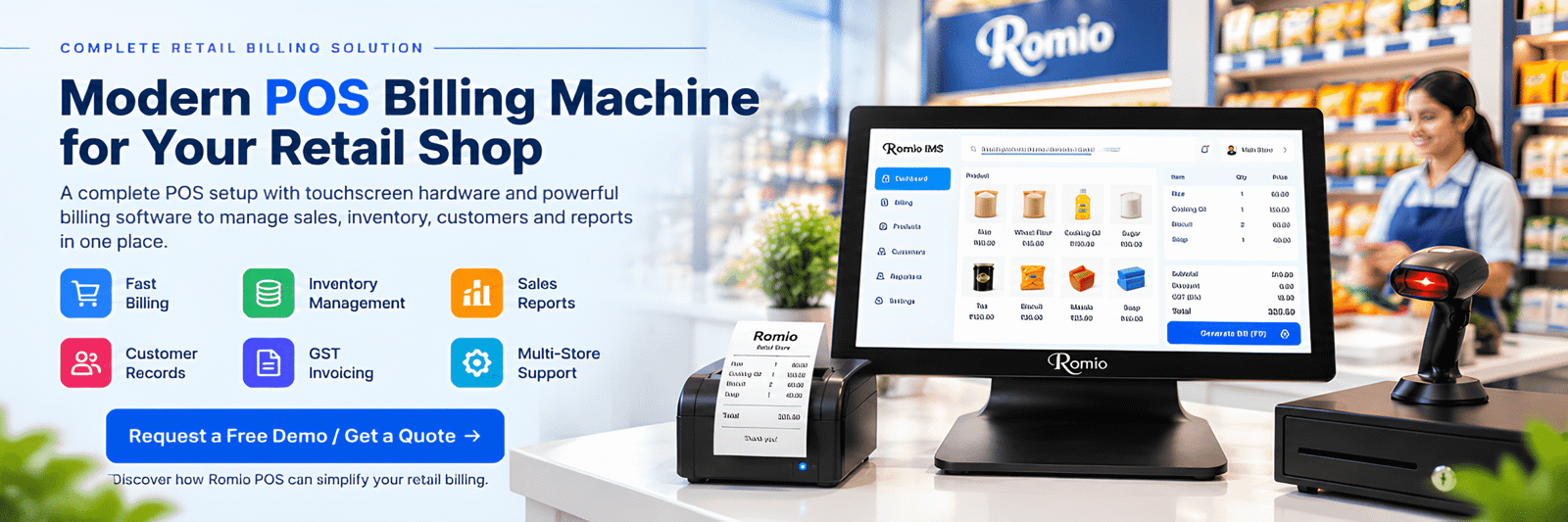
Traditional billing methods can become time-consuming when customer numbers increase. Shop owners may face problems with manual calculations, stock records, product prices and sales reports. A modern POS billing machine helps bring these activities together through touchscreen hardware and compatible billing software.
Romio Technologies offers touchscreen POS billing machines designed for retail shops and other businesses. Its POS configurations include a 15.6-inch capacitive touchscreen, connectivity for compatible peripherals and a 3-year on-site warranty, subject to applicable terms.
In this guide, we will explain how to choose a suitable retail billing machine, which features to consider, how pricing works and what small businesses should check before buying a POS system.
What Is a Retail POS Billing Machine?
A retail POS billing machine is a computer-based device used to process sales transactions and generate customer bills. With compatible POS software, it can also help manage product details, inventory, sales reports and customer records.
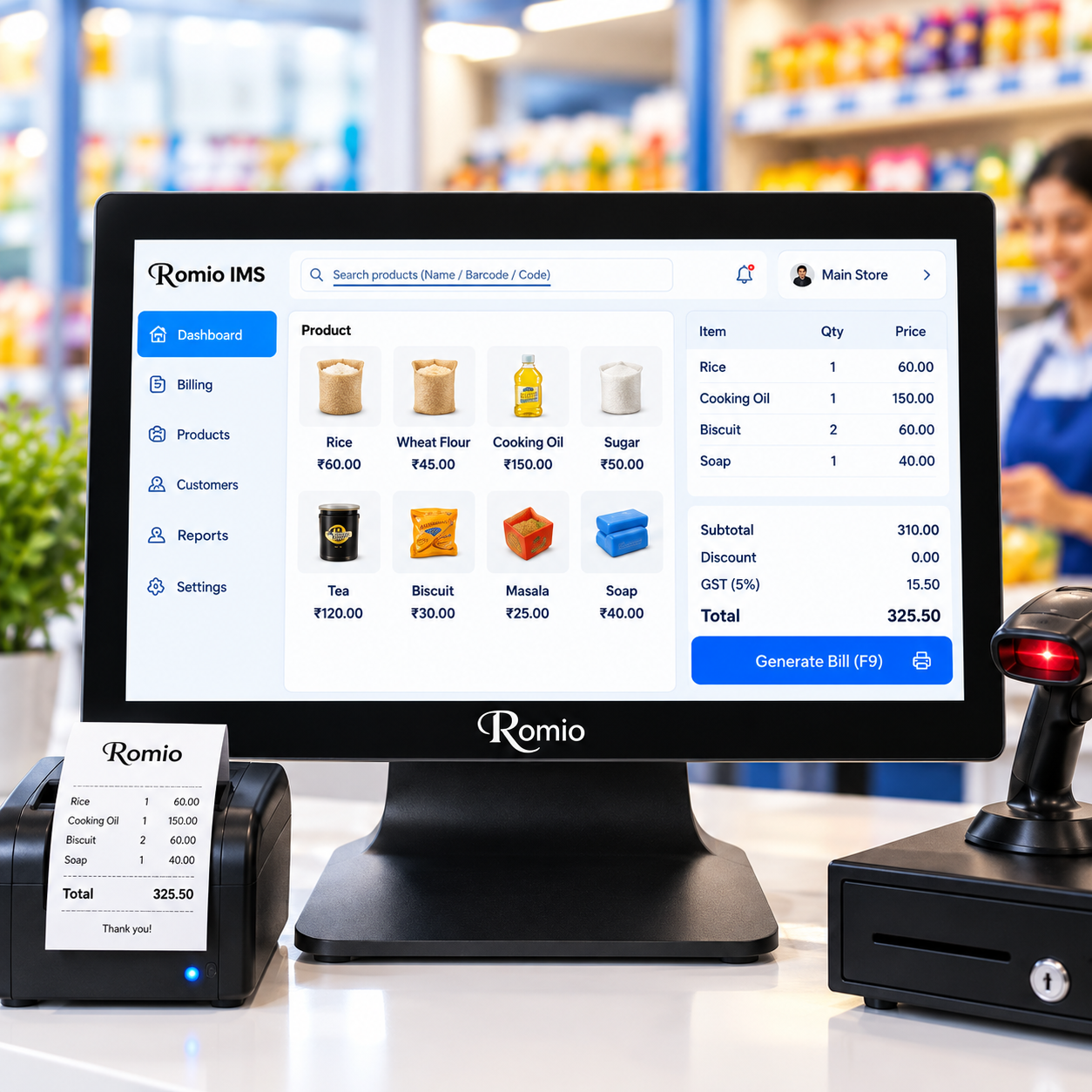
A typical POS setup combines touchscreen hardware with billing software and supported peripherals. Depending on the selected configuration, it may include a thermal receipt printer, barcode scanner, cash drawer and compatible payment device.
Unlike a manual register or disconnected billing tool, a properly configured POS system can connect sales transactions with other business operations. For Indian retailers, GST-enabled billing software can be configured to support applicable invoice requirements.
Before purchasing, confirm which components and software features are included. A touchscreen machine alone does not automatically provide every retail billing function.
A Complete POS Setup May Include
- Touchscreen POS billing machine
- Compatible retail billing software
- Thermal receipt printer
- Barcode scanner
- Cash drawer and supported payment devices
- Installation and training, if included in the package
Key Features of a Retail Billing Machine
Choose a billing machine for shop operations according to your checkout process, product catalogue and daily transaction volume.
Faster Touchscreen Billing
Select products, enter quantities and generate bills through a convenient digital workflow. A well-organized product catalogue can reduce unnecessary steps at checkout.
Barcode Scanner Integration
For supported products, scanning a barcode can make product identification easier than searching manually. Confirm scanner, driver and software compatibility.
Inventory and Stock Management
Compatible inventory software can maintain product records, track stock movement and help staff review available quantities and items that need restocking.
GST Billing Support
Use compatible GST-enabled billing software with tax and invoice settings configured for your business. Confirm the functions required for your invoicing workflow.
Thermal Receipt Printing
Connect a supported thermal printer to print customer bills and receipts. Check printer size, connection type and whether it is included in the quotation.
Sales Reports and Insights
Depending on the software, review transaction history, daily sales summaries and product-level reports to understand business performance.
Staff Accounts and Permissions
Where supported, individual staff accounts and permission settings can help organize billing duties and control access to system functions.
Offline Billing Options
If internet access is unreliable, ask whether the selected software supports local offline billing and how data sync works after reconnection.
Multi-Store Management
Retailers with more than one location should check for centralized product management, store-level reports and stock visibility across branches.
Billing Machine for Every Type of Retail Business
The right retail store billing machine depends on what you sell and how your staff process customer purchases.
Billing Machine for Grocery Store
A billing machine for grocery store operations should ideally support barcode scanning, quantity-based billing, product catalogues, stock tracking and receipt printing. Check support for units, packaged products, discounts and low-stock reports.
POS Machine for Supermarket Billing
A POS machine for supermarket billing may need a large product catalogue, fast barcode workflows, multiple users or checkout counters and consolidated reports. Multi-branch retailers should verify multi-store features.
General Store Billing Machine
A general store billing machine can help organize sales across household goods, packaged items, stationery and personal care products. Useful features include product categories, stock records and sales summaries.
Billing Machine for Small Shop
A billing machine for small shop owners should be simple to operate, suitable for the available counter space and affordable to maintain. Start with billing, receipt printing and the inventory functions you need.
POS Billing Machine for Small Business
A POS billing machine for small business can support clothing stores, footwear shops, electronics outlets, stationery shops and other retailers. Check whether the software handles product variants such as size and colour where needed.
Bakery and Sweet Shop Billing
Bakery and sweet shop owners may need product-wise billing, quantity-based sales, stock records and clear receipts. Confirm whether the software supports your units, packaging, product variants and pricing rules.
Retail POS hardware can also be used in other commercial settings. Restaurant features such as table management or kitchen order tickets require compatible restaurant software and should not be assumed to be included in a retail setup.
POS Billing Machine Specifications
Romio Technologies offers touchscreen POS hardware for businesses that need a professional billing counter. Review this configuration as a starting point when comparing a POS billing machine for retail shop operations.
The processor, memory, storage and included peripherals can vary by model. Ask the team to confirm the exact configuration, operating system, included accessories and software compatibility before ordering.
Explore POS Billing Solutions →How to Choose the Best Billing Machine for
Retail Shop
Use this practical checklist to compare systems rather than choosing only by price or appearance.
Understand Your Needs
Estimate daily transactions, number of products, staff users and checkout counters. List essential features first.
Check Hardware
Compare touchscreen size, processor, RAM, storage and connectivity against the software requirements.
Review Software
Confirm GST billing, inventory, barcode scanning, returns, reporting and offline functionality if required.
Compare Total Cost
Ask about software licences, printer, scanner, installation, training, warranty and recurring fees.
Hardware and Software Must Work Together
A POS machine provides the computing hardware and touchscreen. The billing software determines which business features are available. If you already use accounting or billing software, discuss compatibility before buying.
Ask for a demonstration so you can test the interface, billing workflow and product setup. This can help you avoid paying for features you do not need—or missing features that your shop depends on.
What Should You Check Before Ordering?
- Is billing software included in the quoted price?
- Are GST invoices and inventory supported?
- Are barcode scanner and printer compatible?
- Does offline billing work for your chosen setup?
- Are installation and staff training included?
- What warranty and service terms apply?
Business Overview
Your retail store at a glance
Illustrative POS software dashboard. Actual features and interface depend on the selected software.
Which Is the Best POS Software for Retail?
The best POS software for retail is the one that matches your product range, checkout process, reporting needs and budget. There is no single option that is automatically best for every retailer.
A small general store may need simple billing and stock management. A supermarket may need extensive barcode support, multiple counters and consolidated reporting. Compare the features you will actually use.
- Product and category management
- GST invoice generation, as required
- Inventory and stock movement reports
- Barcode scanner and receipt printer support
- Discounts, returns and customer records
- Staff permissions and sales reporting
- Offline billing and multi-store features, if needed
What Is the Price of a Billing POS Machine?
The price of a billing POS machine varies according to display size, processor, RAM, storage, software licence, printer, barcode scanner and other accessories. A basic setup and an advanced retail POS configuration can have different costs.
Instead of comparing only the hardware price, ask for an itemized quotation that shows what is included. This makes it easier to compare systems on a like-for-like basis.
Romio Technologies can provide current pricing and available configuration details when you share your business requirements.
Get a Customized Quote →Quotation Checklist
- POS hardware and touchscreen
- Billing software and licence
- Thermal printer and barcode scanner
- Cash drawer or other peripherals, if needed
- Installation and configuration
- Training and after-sales support, if offered
- Warranty and renewal or maintenance charges
Why Consider Romio Technologies?
Choosing a POS supplier is about understanding the hardware, compatible software, installation and service terms—not only selecting a touchscreen device.
Touchscreen POS Options
Explore available POS configurations including a 15.6-inch capacitive touchscreen option for business billing counters.
Peripheral Compatibility
Discuss compatible barcode scanners, thermal printers and other devices required for your retail checkout workflow.
Warranty Information
Romio offers a 3-year on-site warranty subject to applicable model and warranty terms. Confirm coverage before ordering.
Frequently Asked Questions About Retail
Billing Machines
Clear answers to common questions about billing machines, POS software and retail checkout systems.
1. What is a retail POS billing machine?
A retail POS billing machine is a computer-based device used to process sales and generate customer bills. With compatible POS software, it can also support inventory management, barcode scanning, sales reports and customer records.
2. Which is the best billing machine for retail shop?
The best billing machine for retail shop depends on your product range, daily transaction volume, budget and software requirements. Compare touchscreen usability, inventory features, printer and scanner compatibility, warranty and total setup cost.
3. What is the best billing system for a retail shop?
The best billing system combines suitable hardware with software that supports your daily workflow, including product billing, receipts, stock records, tax configuration and sales reports.
4. Which is the best POS software for retail?
The best POS software for retail is the one that matches your business needs and works with your hardware. Check billing, inventory, barcode scanning, reporting, licence costs, support and offline capabilities before selecting it.
5. Which billing system is famous for retail billing?
Many billing systems are used by retail businesses. The right choice depends on ease of use, required features, compatibility, pricing and after-sales support. Request a demo and compare the functions you need.
6. Which POS machine is best in India?
The best POS machine in India depends on your business type, hardware specifications, compatible software, warranty and service support. Compare complete configurations rather than choosing on price alone.
7. What is the price of a billing POS machine?
The price of a billing POS machine depends on the hardware, software, display, printer and accessories. Request an itemized quotation to understand the included components, licence fees and recurring charges.
8. Which billing machine is suitable for a grocery store?
A grocery store should consider barcode scanning, quantity-based billing, product catalogues, stock tracking and receipt printing through compatible hardware and software.
9. Which is the best billing machine for a small shop?
A small shop should select a system that is easy to use, fits the counter space and budget, and supports essential billing, receipt printing and stock records.
10. Can a POS billing machine generate GST invoices?
Yes, when paired with compatible GST-enabled billing software configured according to applicable invoicing requirements. Verify the software features and settings before use.
11. Can a POS billing machine work without the internet?
Offline billing depends on the selected software and configuration. Cloud synchronization, online services and some payment functions may require an internet connection, so confirm the offline workflow before purchase.
12. Does a POS billing machine include software?
It depends on the package. Some quotations include software while others list hardware separately. Confirm licensing, installation, renewal charges and supported features before purchasing.
Find the Right Billing Machine for Your Retail Shop
Whether you run a grocery store, supermarket, general store, clothing shop or small business, choose a POS setup based on your daily billing needs, software features and total cost. Contact Romio Technologies to discuss available configurations and request a demonstration.
Request a Free Demo / Get a Quote →You can also explore POS Billing Solutions to learn more.