Food Court POS Software Fast, Smart Billing for Every Brand
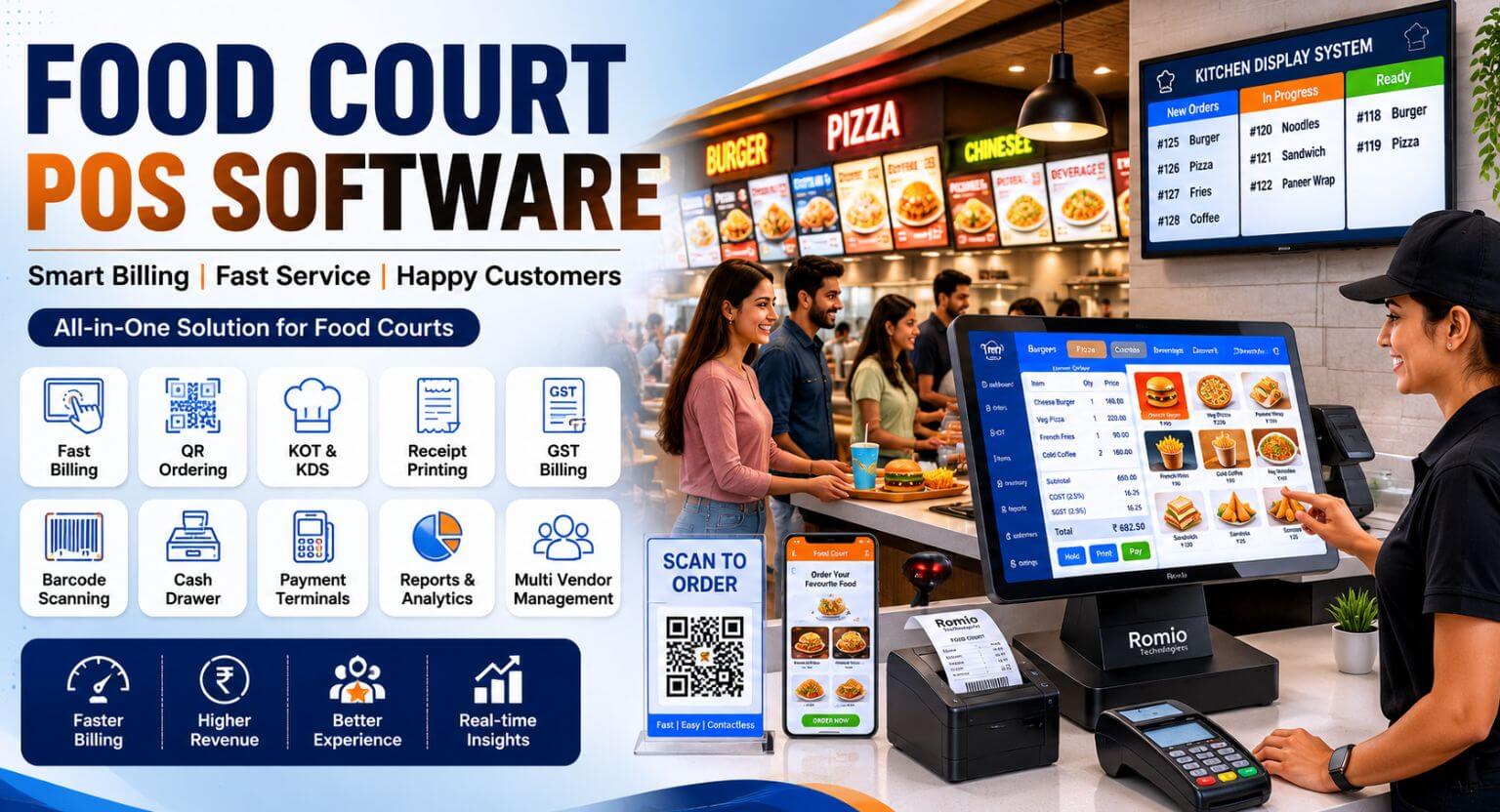
Running a food court means managing speed, accuracy, and multi-brand complexity all at the same time, during peak lunch rush. A generic restaurant POS simply cannot handle it.
Romio Technologies has spent 15+ years building POS software designed specifically for food courts from touchscreen billing and kitchen display systems to QR ordering, GST-compliant receipts, and cash drawer integration. Every feature exists because a real food court operator asked for it.
Why Generic POS Software Fails in a Food Court
Food courts have operational demands that standard restaurant billing tools were never designed to meet:
- A customer orders from three different brands — a generic POS cannot consolidate that into one invoice
- Kitchen order tokens (KOTs) need to route to separate brand kitchens simultaneously
- GST rates differ per brand and per item — manual handling leads to compliance errors
- Multiple payment terminals, cash drawers, and receipt printers must operate independently per counter
- QR-based table ordering must work across all brands from a single scan
Romio Food Court POS Software solves every one of these challenges out of the box — no plugins, no workarounds.
Core Features of Romio Food Court POS Software
Touchscreen POS Billing
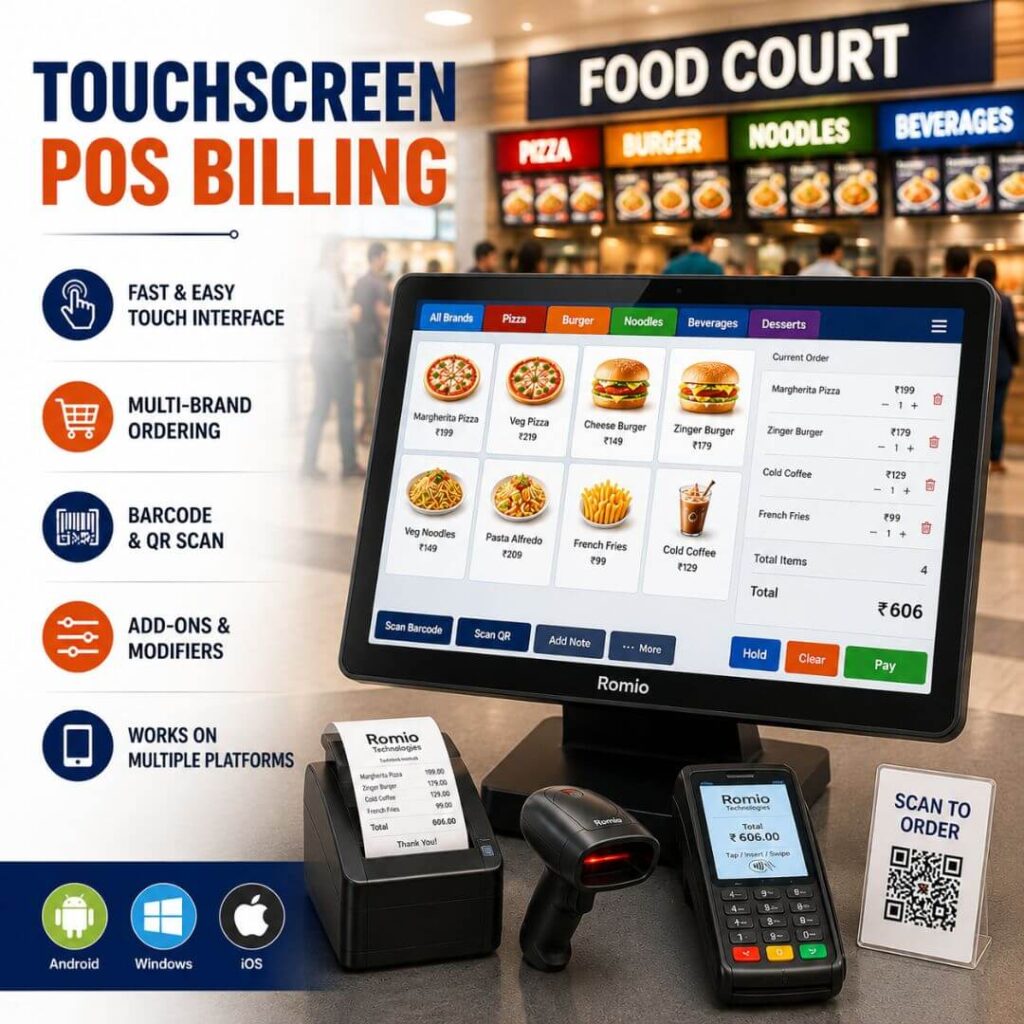
Romio’s POS interface is engineered for speed. Designed for 10-inch to 15-inch touchscreens at billing counters, the UI allows cashiers to complete a multi-brand order in under 30 seconds.
- Large, colour-coded menu tiles for fast item selection
- Modifier and add-on prompts (extra cheese, spice level, portion size)
- Multi-brand cart — add items from different brands in a single transaction
- Barcode and QR scan for item lookup — zero manual entry errors
Works on Android, Windows, and iOS POS terminals
Kitchen Order Token (KOT) Management
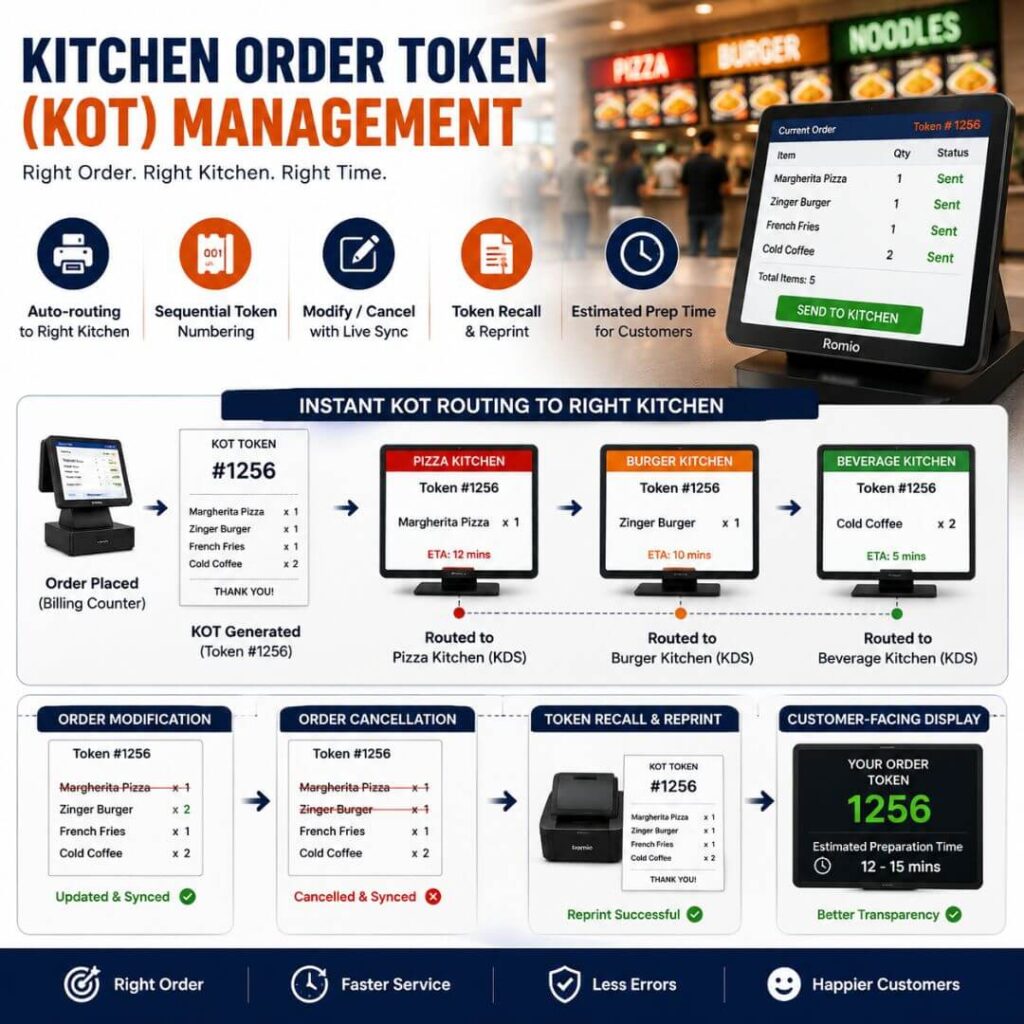
Every order placed at the billing counter generates a KOT that is instantly routed to the correct brand’s kitchen — not the wrong one.
- Auto-routing: KOTs go to the relevant brand’s KDS or printer
- Sequential token numbering for accurate order tracking
- Order modification and cancellation with real-time kitchen sync
- Token recall and reprint for lost or damaged KOTs
- Estimated preparation time display for customer-facing screens
Kitchen Display System (KDS)
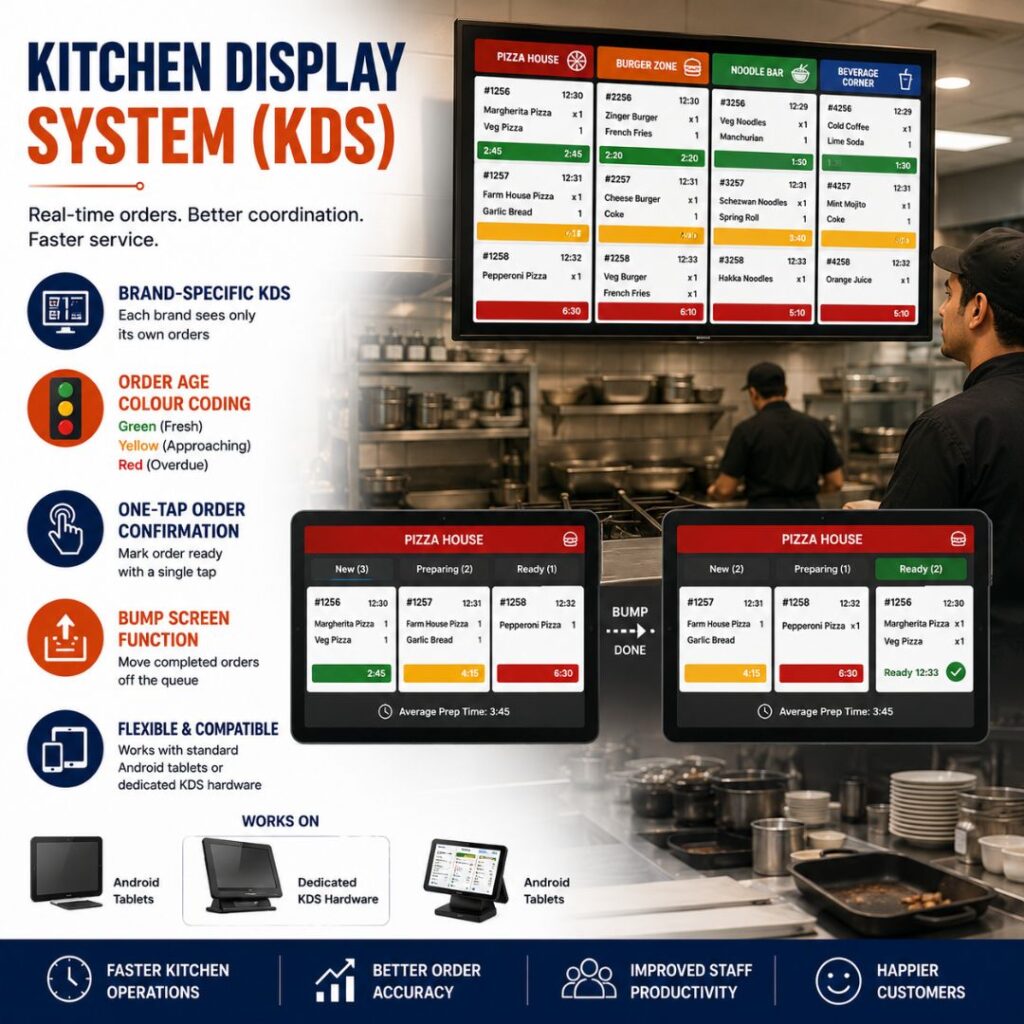
Replace noisy printers and paper chaos in the kitchen with Romio’s digital Kitchen Display System. KDS shows orders in real time on a wall-mounted screen visible to all kitchen staff.
- Brand-specific KDS — each brand sees only its own orders
- Order age colour coding: green (fresh), yellow (approaching), red (overdue)
- One-tap order confirmation when food is ready
- Bump screen function to move completed orders off the queue
- Works with standard Android tablets or dedicated KDS hardware
QR Code Ordering
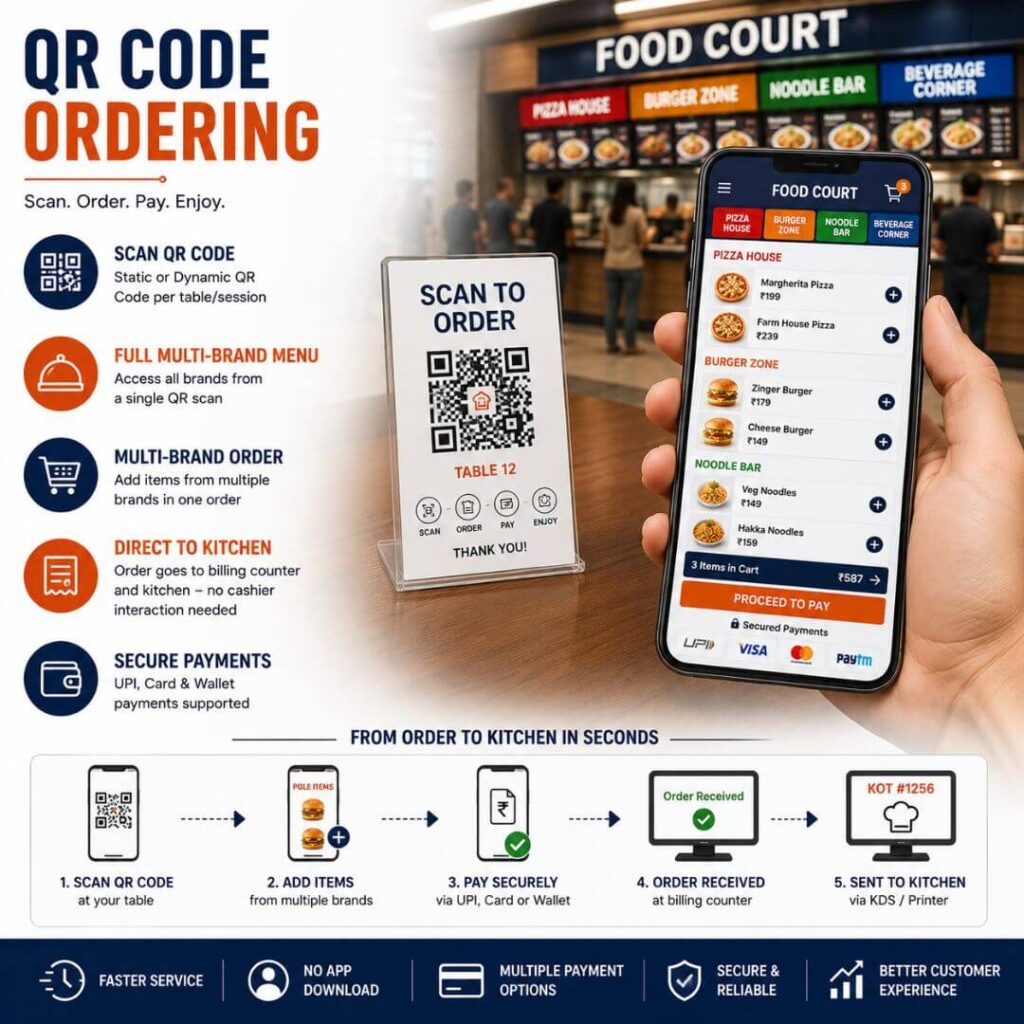
Let customers order directly from their table using a QR code — no app download required. Romio’s QR ordering system integrates seamlessly with the POS and kitchen workflow.
- Static QR codes per table or dynamic QR codes per session
- Full multi-brand menu accessible from a single QR scan
- Customers add items from multiple brands in one order
- Order goes directly to billing counter and kitchen — no cashier interaction needed
- UPI, card, and wallet payment supported within the QR ordering flow
Receipt Printing & Digital Receipts
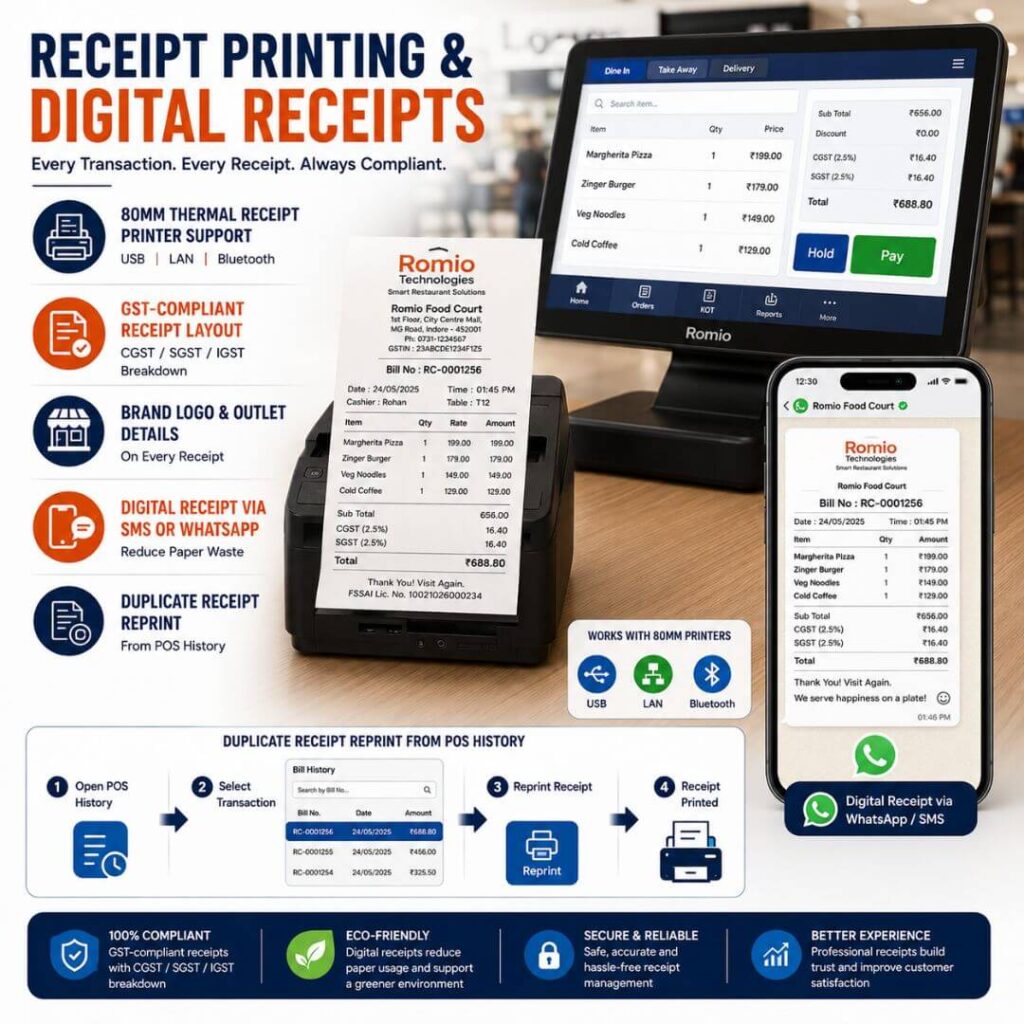
Every transaction generates a fully compliant receipt. Romio supports both physical receipt printers and digital receipt delivery.
- 80mm thermal receipt printer support (USB, LAN, Bluetooth)
- GST-compliant receipt layout with CGST / SGST / IGST breakdown
- Brand logo and outlet details on every receipt
- Digital receipt via SMS or WhatsApp — reduce paper waste
Duplicate receipt reprint from POS history
GST Billing & Tax Compliance
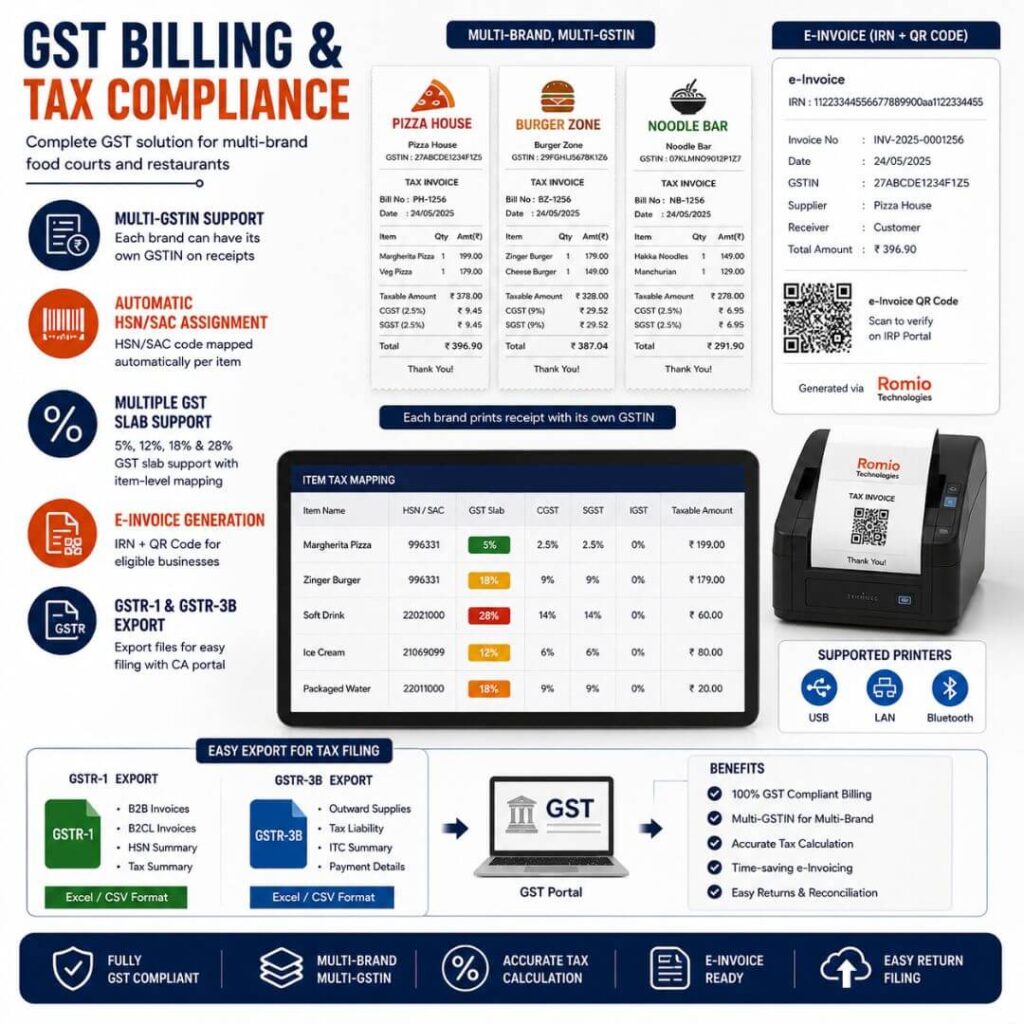
India’s GST framework is complex, especially in food courts where multiple brands operate under different GSTIN registrations with different tax slabs.
- Multi-GSTIN support — each brand can have its own GSTIN on receipts
- Automatic HSN/SAC code assignment per menu item
- 5%, 12%, 18%, and 28% GST slab support with item-level mapping
- e-Invoice generation for eligible turnover businesses (IRN + QR code)
- GSTR-1 and GSTR-3B ready export files for CA / tax filing
Barcode Scanner Integration
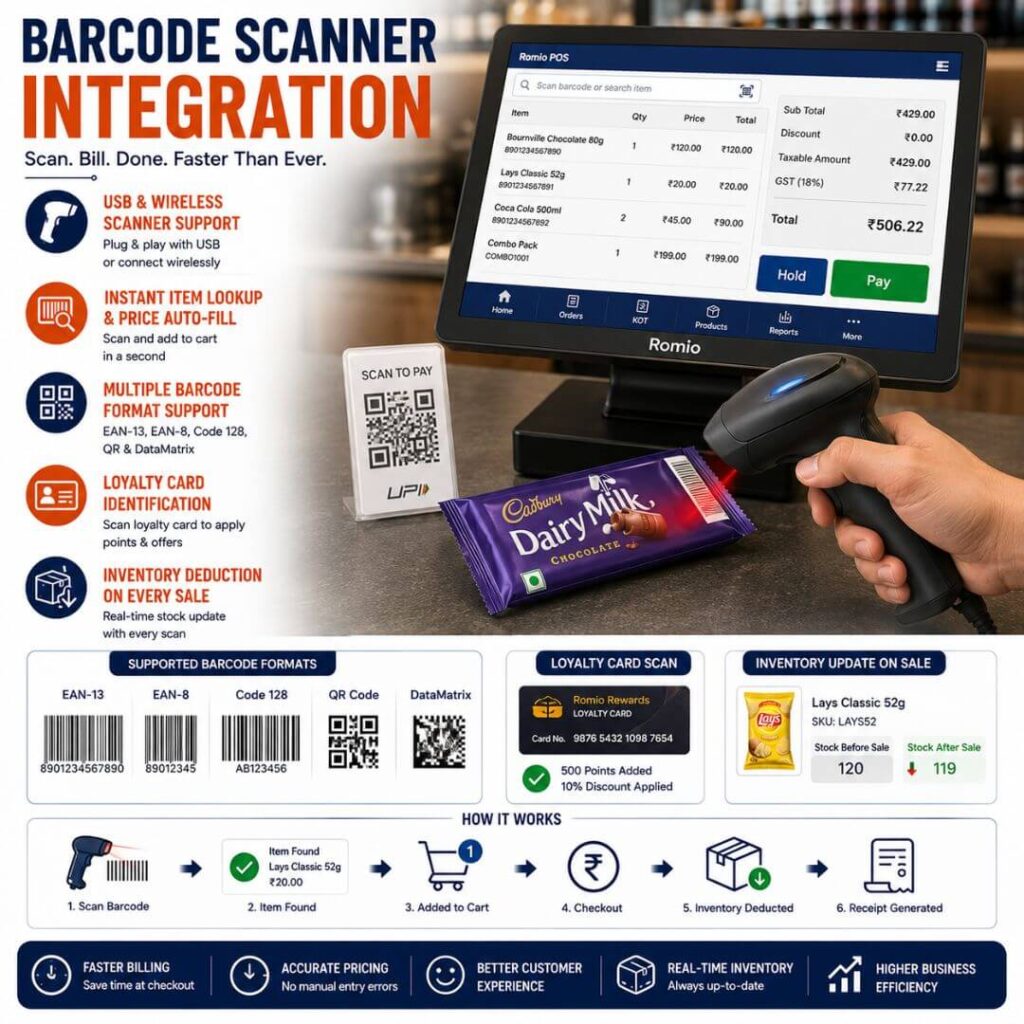
Speed up billing for packaged items, combos, and retail products with barcode scanning support built directly into the POS.
- USB and wireless barcode scanner support
- Instant item lookup and price auto-fill on scan
- Support for EAN-13, EAN-8, Code 128, QR, and DataMatrix formats
- Use scanning for loyalty card identification at checkout
- Inventory deduction on every scanned sale
Cash Drawer Management
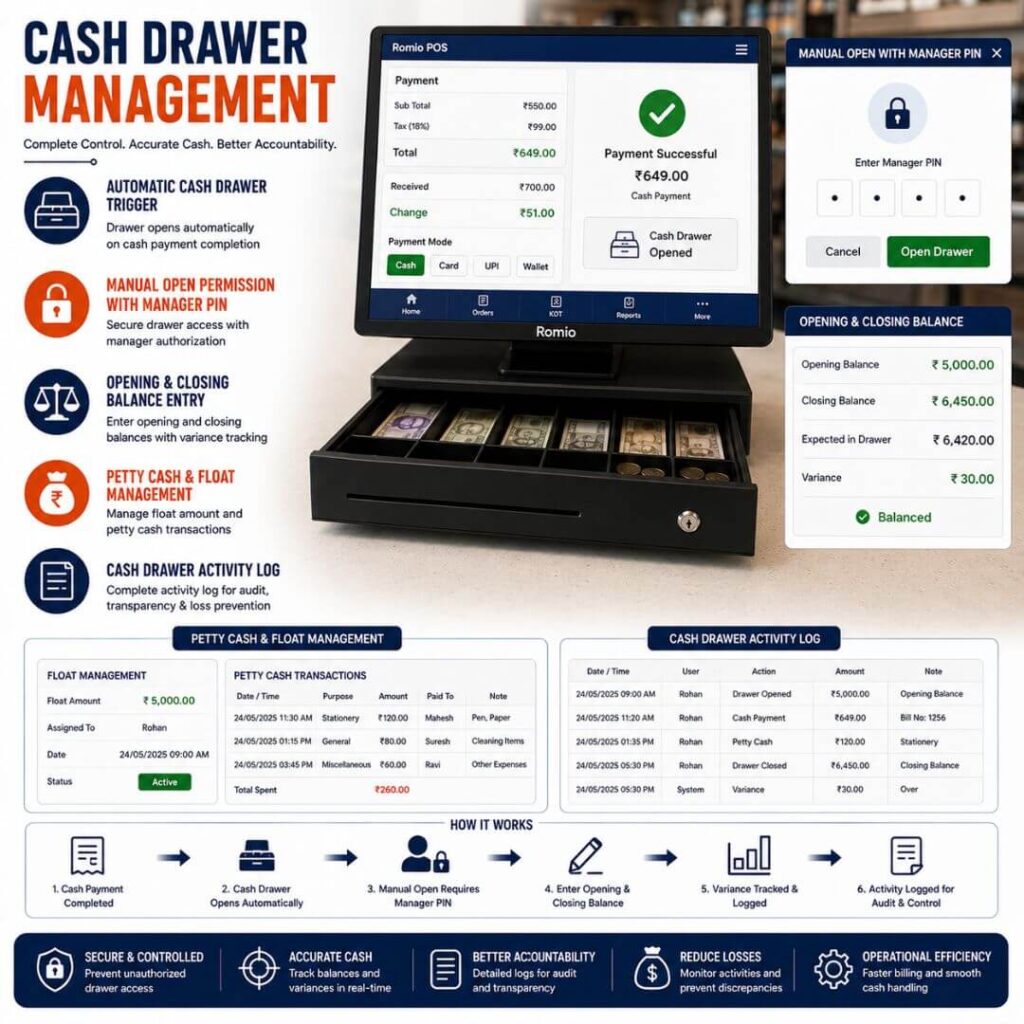
Cash handling accuracy is critical at high-volume food court counters. Romio’s cash drawer integration gives operators full visibility and control.
- Automatic cash drawer trigger on cash payment completion
- Manual open permission requiring manager PIN
- Opening and closing cash balance entry with variance tracking
- Petty cash and float management module
Cash drawer activity log for audit and loss prevention
Romio Food Court POS vs. Generic Restaurant POS Feature Comparison
Feature | Romio Food Court POS | Generic Restaurant POS |
Multi-Brand Single Invoice | ✅ Yes | ❌ No |
KOT Auto-Routing Per Brand | ✅ Yes | ❌ No |
Kitchen Display System (KDS) | ✅ Native | ⚠️ Plugin / Extra Cost |
QR Table Ordering | ✅ Multi-Brand | ⚠️ Single Brand Only |
GST Multi-GSTIN Support | ✅ Yes | ❌ Typically No |
e-Invoice (IRN) Generation | ✅ Built-In | ⚠️ Third-Party Add-on |
UPI + Card + Wallet Split Pay | ✅ Yes | ⚠️ Limited |
Barcode Scanner Integration | ✅ Native | ✅ Available |
Cash Drawer Variance Alerts | ✅ Yes | ⚠️ Basic Only |
Offline Mode with Auto-Sync | ✅ Yes | ⚠️ Varies |
15+ Years F&B POS Experience | ✅ Yes | ❌ No |
Why Choose Romio Technologies?
15+ Years of Food Court POS Deployments
Since 2009, Romio Technologies has deployed POS systems in food courts across India’s largest malls, airports, and standalone food destinations. We have seen every operational edge case from 2-AM airport terminal billing to festival-season food court rushes serving 8,000+ covers in a day. Our software is shaped by that real-world experience, not by theoretical product roadmaps.
Built by F&B Technology Specialists
Romio’s engineering and product team includes certified POS architects, former restaurant operators, and GST compliance specialists. Our POS passed India’s STQC certification process and is listed as a compliant solution on the GSTN portal for e-invoice integration.
Trusted at Scale
Romio POS software processes millions of food court transactions monthly across India. We are members of the Retailers Association of India (RAI) Technology Council and have been featured in leading F&B industry publications including Restaurant India and Food Service India.
Compliance, Security, and Uptime
Romio maintains ISO 27001 certification for information security. Our POS platform operates on a 99.9% uptime SLA with geo-redundant cloud infrastructure. All transaction data is encrypted at rest (AES-256) and in transit (TLS 1.3). We never sell customer data.
Who Uses Romio Food Court POS Software?
Frequently Asked Questions Food Court POS Software
What is food court POS software?
How is Romio's food court POS different from a regular restaurant POS?
the POS support GST billing with multiple GSTIN registrations?
Can the POS work offline if the internet connection drops?
What is KOT and how does it work in a food court?
What is a Kitchen Display System (KDS) and does Romio support it?
Does Romio support QR code ordering from tables?
Which payment methods does the POS support?
Can I print receipts and also send digital receipts?
Is barcode scanning supported at the billing counter?
Conclusion
Romio Technologies’ Food Court POS Software is a complete solution for managing modern food courts. From fast billing and touchscreen POS to QR ordering, Kitchen Display Systems (KDS), GST billing, barcode integration, payment terminals, and real-time reporting, our platform helps food court operators improve efficiency, reduce operational challenges, and enhance customer experiences. Backed by 15+ years of industry expertise, Romio Technologies delivers scalable, reliable, and future-ready food court management solutions designed to support growing businesses across malls, airports, universities, and commercial dining spaces.